A QR code business card is a card, printed or on your phone, with a QR code that opens your details when someone scans it. Done well, one scan takes the other person to a page about you with a Save contact button, so you land in their phone's contacts with your name, photo, email and links, and nobody has to type or spell anything.
This guide covers what the QR should open, the three ways to make one, and how founders use them at meetups and conferences.
Key takeaways
- Any phone camera reads QR codes. No app needed.
- Point the QR at a link you control, not raw contact data, so you can update your details without reprinting.
- The best destination is a page about you with a one-tap Save contact (a vCard file underneath).
- Keep it on your phone as an image for events; print it only if you hand out paper anyway.
What a QR code business card actually does
A QR code is just a container for text. On a business card that text is usually one of two things:
- A link (for example
founders.page/yourname). Scanning opens a page in the browser. - A vCard, the standard contact format phones understand. Scanning offers to add the contact directly.
Both work. The difference shows up a month later, when you change your email, start a new company, or want people to see what you've built.
| QR holds a link | QR holds a vCard | |
|---|---|---|
| Saves you to contacts | Yes, via a Save contact button on the page | Yes, directly |
| Shows your work, links and photo | Yes | Only what fits in the contact |
| Update details after sharing | Yes, edit the page | No, make a new code |
| Works offline | No | Yes |
| Tracks how many people scanned | Possible | No |
For most founders the link wins: it does everything the vCard does, plus it shows the person why they should remember you.
What the QR should open
Whatever the code opens is the real business card. A good destination has:
- Your photo and name at the top, so they can match you to the conversation.
- One line about what you do: "Founder, OllamaOCR" beats a job title nobody understands.
- A Save contact button that downloads a vCard with your name, photo, email, phone and page.
- What you've built, with links, because that's what makes a stranger follow up.
- One way to book time if you take calls.
Avoid pointing the code at your company homepage. It answers "what does the company do", not "who was that person I just met".
Three ways to make one
1. A QR generator plus a contact file
Paste your details into a QR generator and download the image. It's fast, but static codes can't be edited, and many "free" generators make dynamic codes that redirect through their servers and stop working when a trial ends. Read the fine print before printing 500 cards.
2. A digital business card app
Apps built for this host a card page and give you a QR. They work, though most are generic: built for sales reps and real-estate agents, with a feature list for teams and CRM syncing, and they don't show what you've built.
3. A founder page with a built-in card
This is what we built founders.page to do. Your page at founders.page/yourname already shows who you are and every product you've built. The Founder Card turns it into a business card:
- Open your page and tap Founder Card. It shows your card with a large QR.
- The other person points their camera at it and opens your page.
- They tap Save contact and you're in their phone with your photo, email, phone and page link.
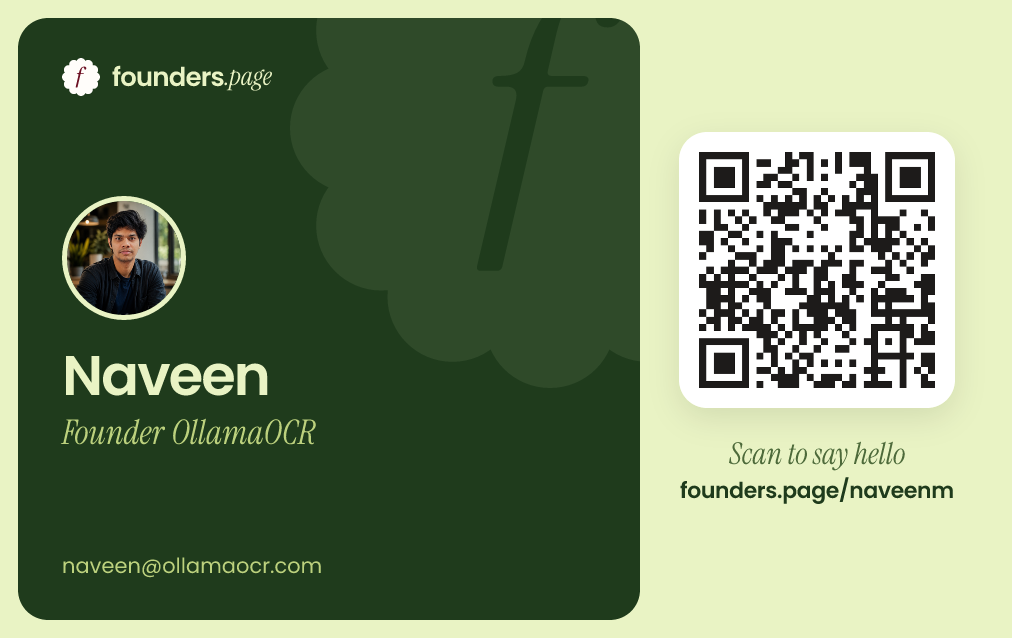
You choose which email and phone go on the card, you can download the card as an image to keep in your photos, and both buttons can be switched off if you'd rather not show them. It's free: claim your page and the card comes with it.